

 News
News
Charging infrastructure predictability is a shared responsibility between the operator and the platform. For GO TO-U, supporting our partners has always been a priority, and the Back Office is built around one question: how to help operators run their networks more effectively. From monitoring and analytics to fault detection and team communication – the Back Office covers the full cycle of charging infrastructure management.
Here is a typical example. At 2 AM, a charger in a network stops mid-session. The driver leaves, the charger stays offline. The operator's team finds out in the morning or sometimes even later, when a complaint comes in from the next driver.
This happens in most charging networks on a regular basis. Hardware failures are a normal part of operations. But when hours or days pass between a failure and a response, the problem is no longer technical. It is operational. The Back Office GO TO-U is built to shrink that gap to a minimum.
The Real Cost of Poor Visibility
Most charging operators today rely on a patchwork of tools to monitor their infrastructure. A dashboard from the hardware manufacturer. A separate CMS. Manual checks. Maybe a spreadsheet.
The result is fragmented visibility. Operators see pieces of the picture, but rarely the full story. When a session fails, the question is always the same: what happened, when, and why? Finding the answer often means digging through multiple systems, contacting the hardware vendor, and guessing. This is not a sustainable model – especially as networks grow from 10 chargers to 100 or more.
How the Back Office Works
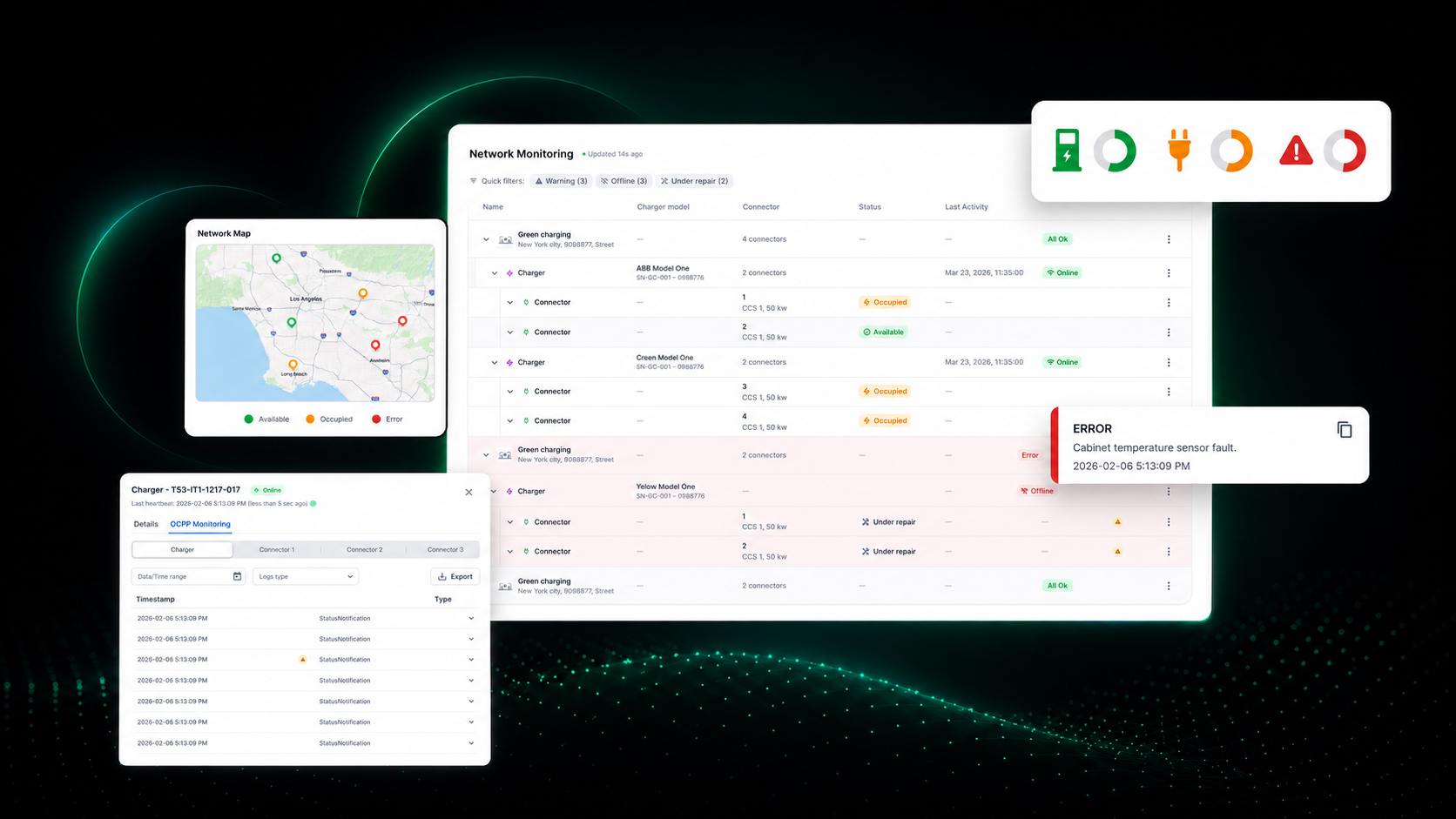
The Back Office pulls real-time technical data directly from charging stations through OCPP. This includes:
- charger and connector statuses
- charging session events
- state changes
- technical messages
- error notifications
None of this data is unique to the industry. The difference is how it is structured, displayed, and made actionable – all in one place.
Session Logs That Tell the Full Story
Every charging session has a detailed timeline. The system records each event in chronological order: when the connector was plugged in, when charging started, what status changes occurred, and what technical messages were received.
If a session fails or stops unexpectedly, the operator does not need to guess. The timeline shows exactly where the issue occurred. Support teams can reference specific events instead of working from vague driver complaints. In essence, this is a shift from "something went wrong" to "here is what went wrong, at this step, at this time."
AI That Reads the Logs So You Don't Have To
OCPP logs are technical. They were designed for machines, not for operations managers reviewing a dashboard at 8 AM. That is why the Back Office includes an AI chat layer that interprets session data in plain language. Instead of parsing error codes and status transitions manually, operators receive clear explanations of what happened and what it likely means.
This does not replace technical expertise – it accelerates it. The operator still makes the decision, but with context that used to take hours to assemble, delivered in seconds.
One Dashboard for the Entire Network
The infrastructure dashboard shows the state of the network at a glance:
- the number of chargers and connectors by status
- general infrastructure health
- access to detailed technical data when needed
For operators managing a handful of stations, this is convenient. For operators scaling to dozens or hundreds, it is essential. Individual issue tracking does not work at scale. Centralized monitoring does.
When Something Breaks, the Right People Know
Detection without notification is just data. The Back Office supports a layered response system:
- an in-platform notification bell
- email alerts to the partner
- direct phone communication from the GO TO-U team, when needed
The operator does not need to check the dashboard every hour. When something requires attention, the system reaches out through the appropriate channel. This is the difference between reactive and proactive operations. Reactive means waiting for a driver to report a broken charger. Proactive means knowing about it before the driver does.
The Sequence Behind It All
The logic is straightforward:
- Technical data is received through OCPP
- Structured into charging session logs
- Interpreted by AI for faster understanding
- Displayed through a centralized dashboard
- Delivered to the right stakeholders when action is needed
Each layer builds on the previous one. Together, they help operators detect issues earlier, understand them faster, and respond before small problems become costly downtime.
Why This Matters
EV charging networks are growing. The operators who will succeed are not the ones with the most chargers – they are the ones who can keep their chargers running, reliably, at scale.
That requires more than good hardware. It requires operational intelligence: the ability to see what is happening across the network, understand what it means, and act before it affects the driver experience.
"We build the Back Office for our partners – so they can operate their networks more efficiently. We talk to operators, we see their daily challenges, and we improve the product every day to make sure the platform works as hard as they do." – Lena Artemenko, Co-Founder & Product Owner, GO TO-U
That is what the Back Office is – an operations layer for modern EV charging infrastructure.