


In the world of electric vehicles, planning a trip is not just about choosing a route — it’s also about ensuring charging availability along the way. That’s why the reservation feature in the GO TO-U app is not just a convenience, it’s a true must-have for every EV driver. With it, you no longer have to waste time in queues or stress about finding an available charger on the go.
So how does it actually work? Here's a step-by-step guide to show how easily you can reserve a charging station through GO TO-U.
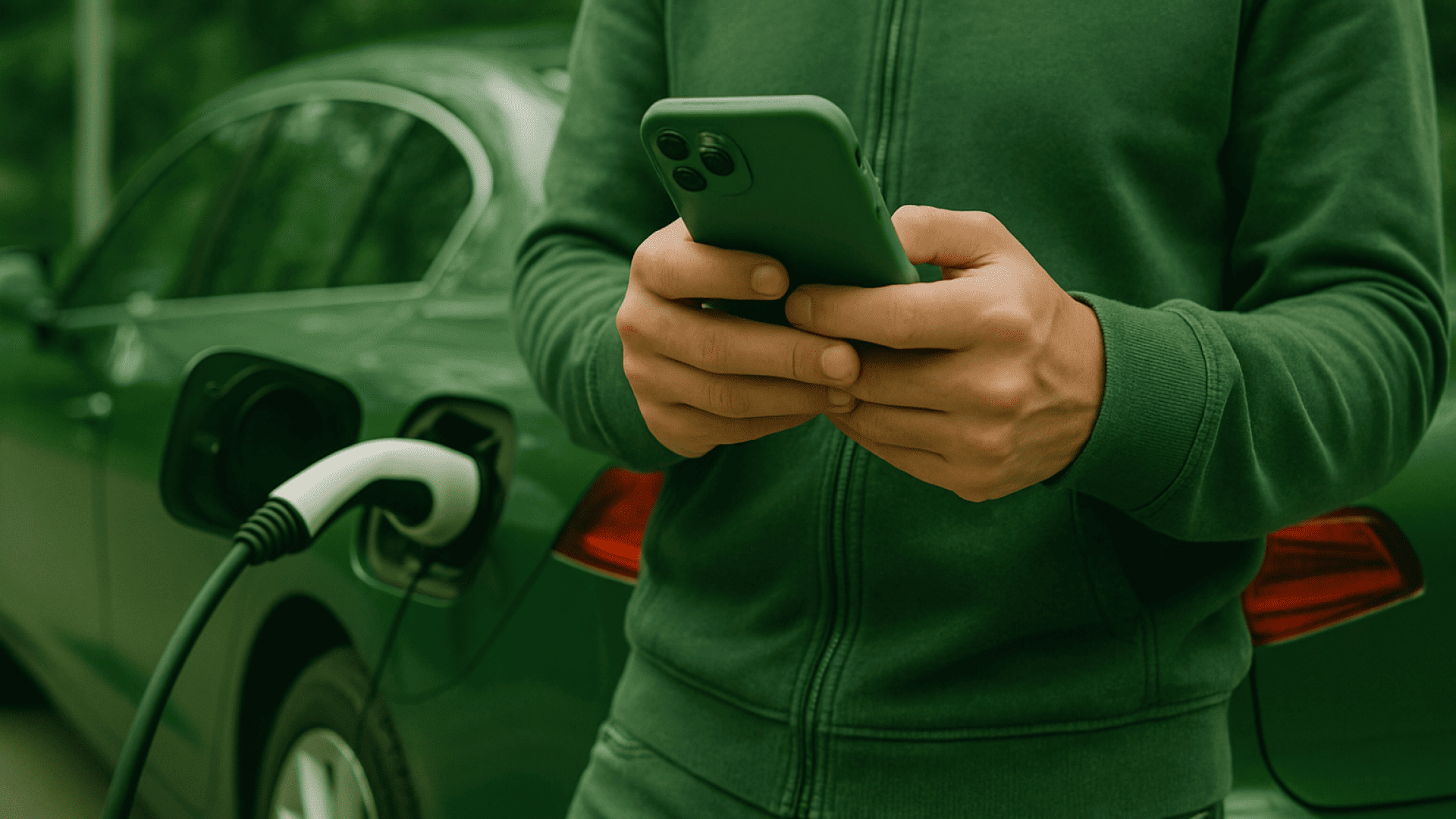
Start with Planning
You're preparing for a trip, building your route, and opening your personal EV assistant — the GO TO-U app. Everything in it is designed for user comfort, making charging your car feel as easy and pleasant as a coffee stop.
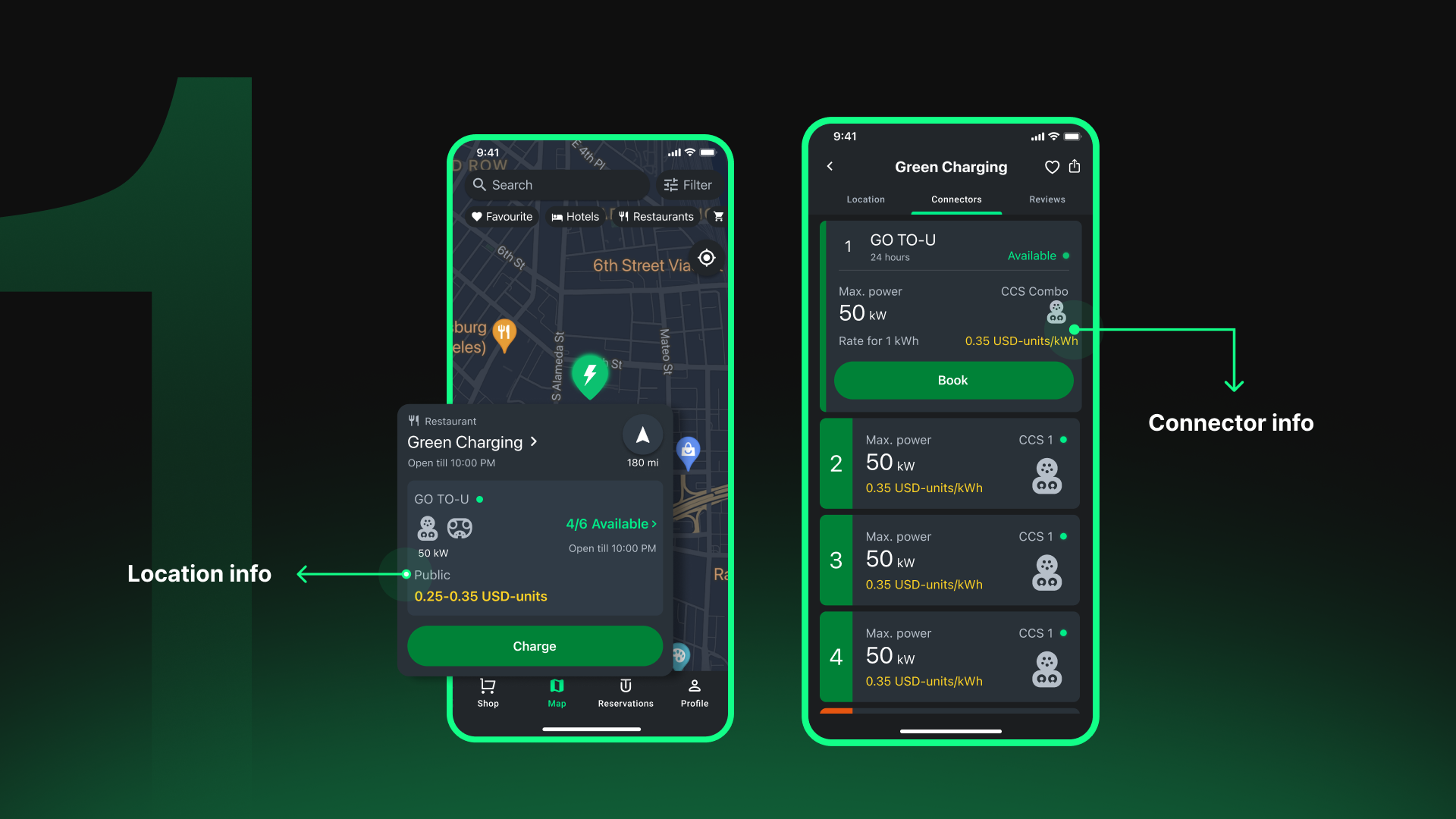
1. Choose the Right Location
Use the map or search bar to find a charging station. Check the «Connectors» tab to see if your required connector type is available. If everything suits you, select the connector and tap «Book».
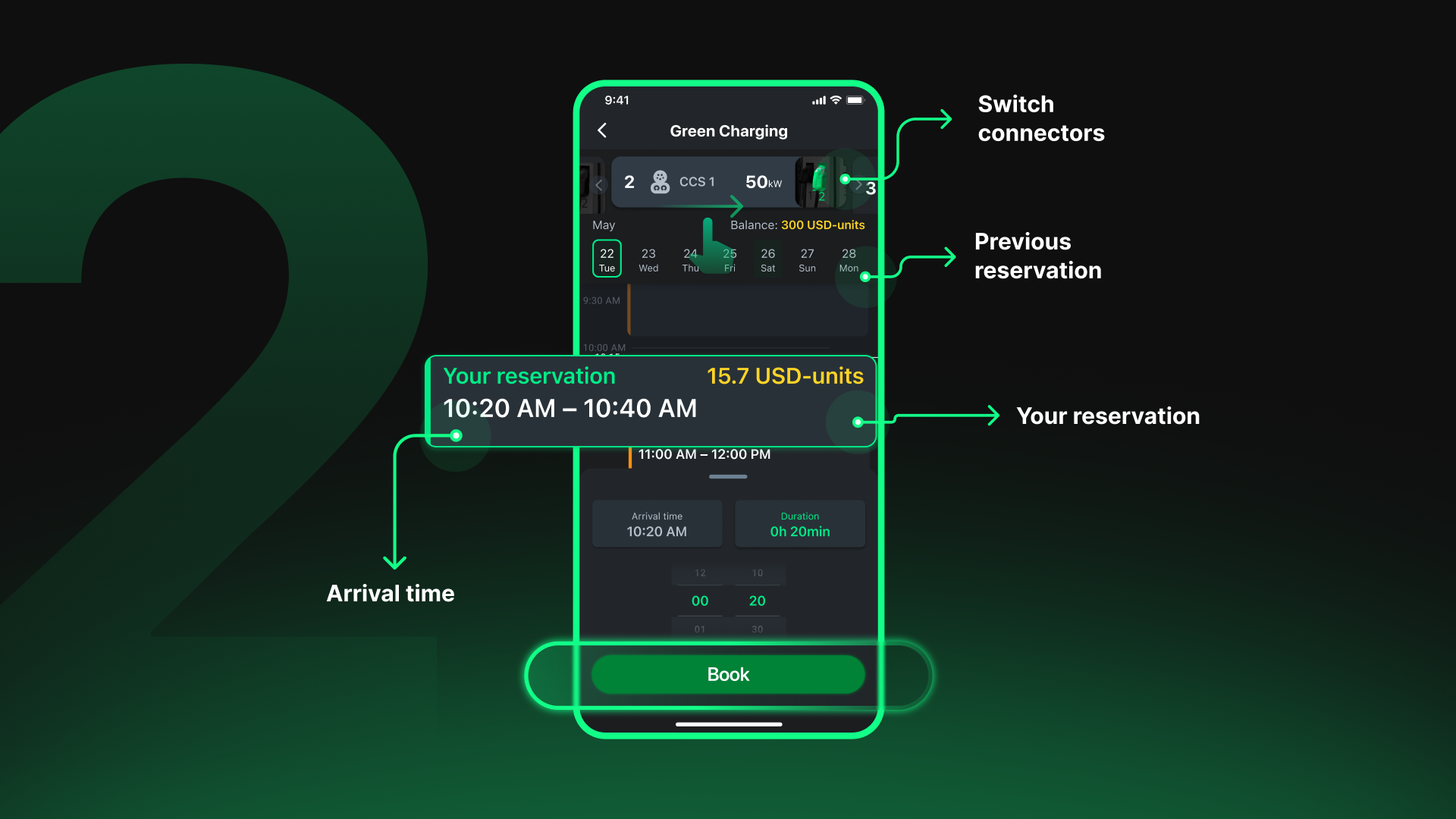
2. Set Your Time
Choose your estimated arrival time and desired charging duration (by default, the system offers the earliest available time and 30 minutes of charging). Select what works best for you and tap «Book».
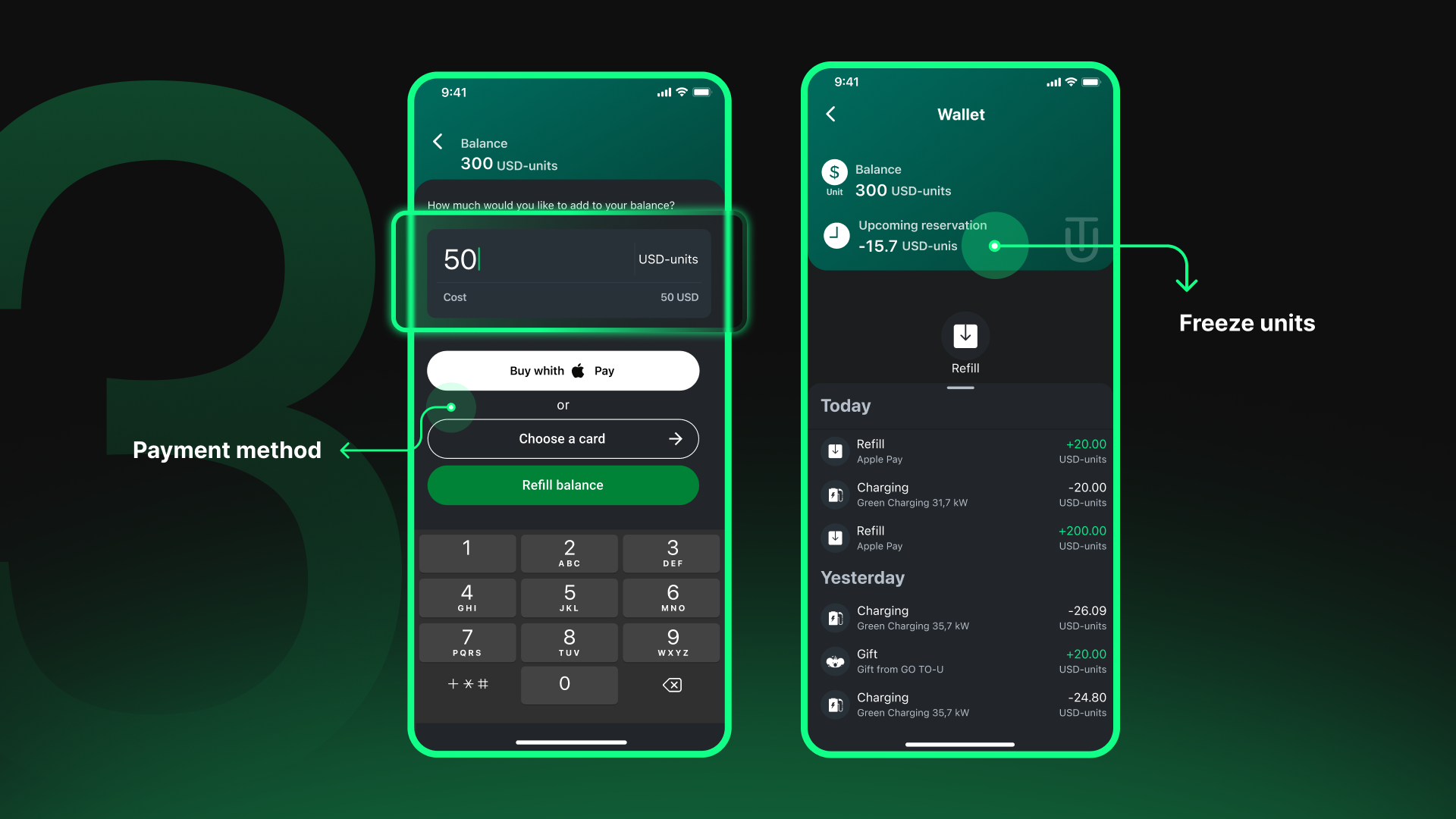
3. Top Up Your Balance
To confirm the reservation, you’ll need to top up your account balance in the app. Important: funds are not held — you’re only charged for the actual energy used during charging.
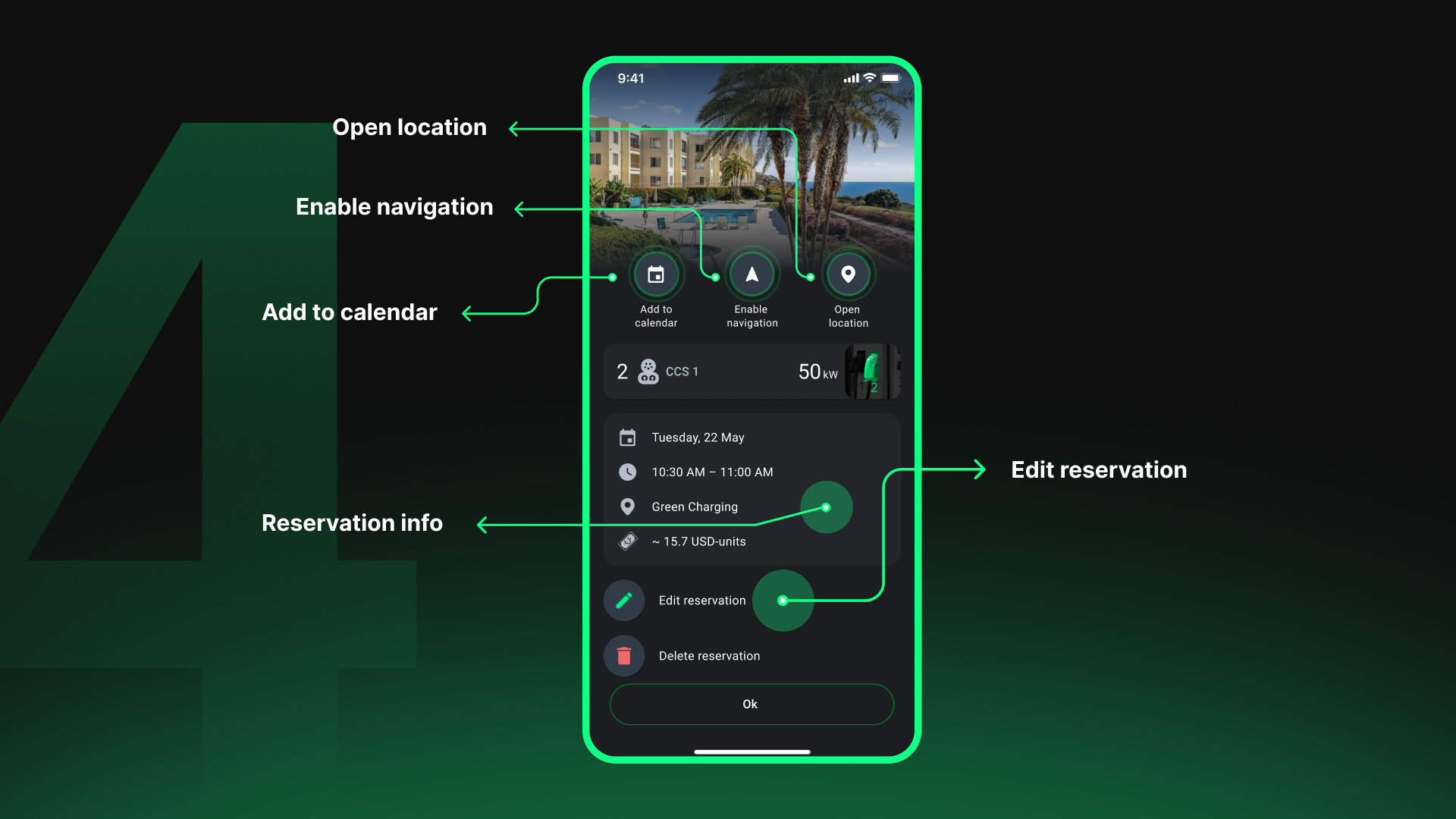
4. Reservation Confirmed
That’s it! The station will be waiting for you at the scheduled time.
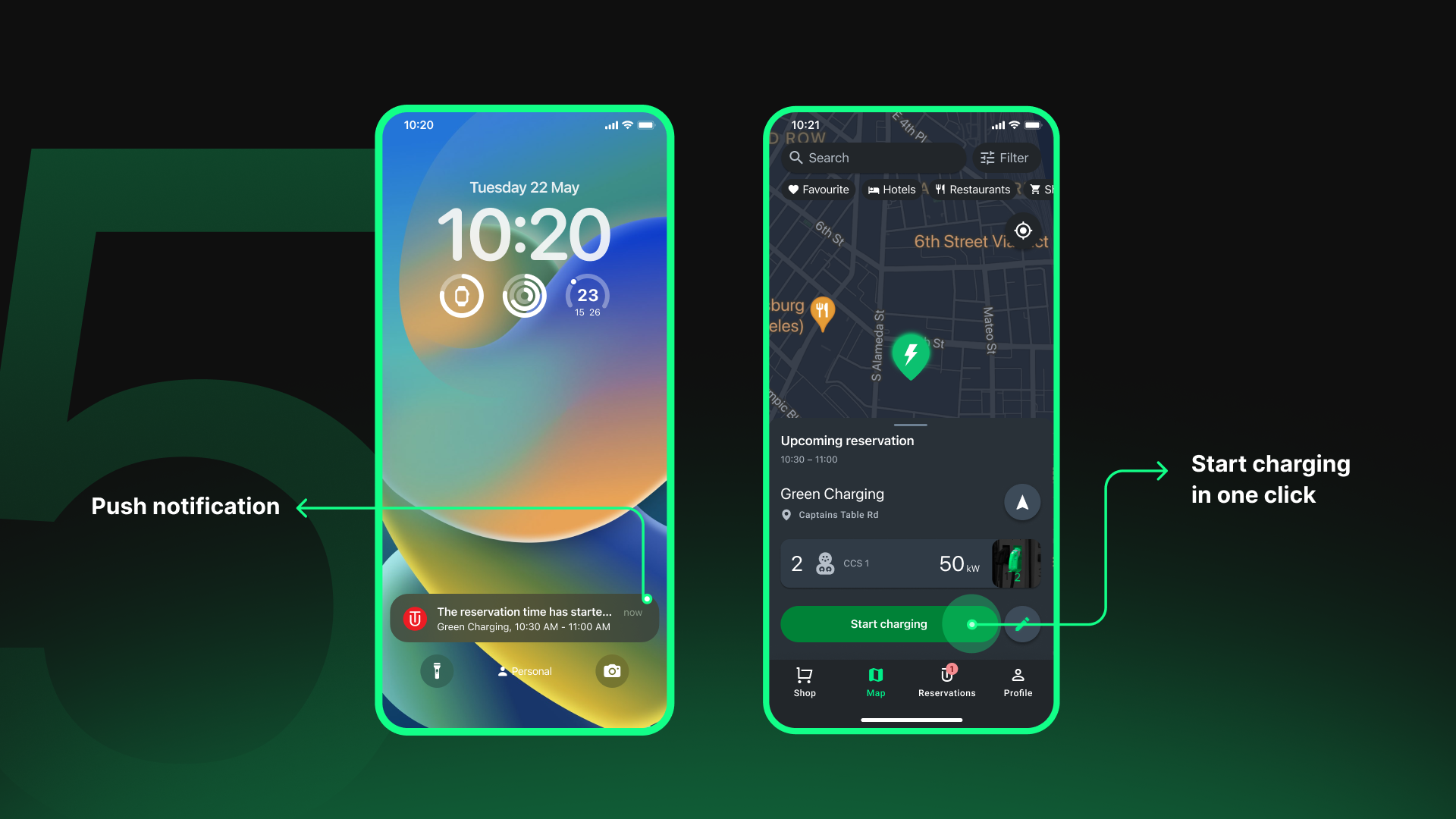
5. Charge Without Stress
Once you arrive, simply plug in the cable, open the app, and tap «Start Charging».
Enjoy Your Journey!
Reservation via GO TO-U is another step toward a smooth, predictable, and pleasant EV trip. Forget the queues and surprises — just plan, book, and charge. GO TO-U ensures your experience is seamless.