


We are excited to announce the latest update to the GO TO-U app, designed to make electric vehicle (EV) charging even more accessible and efficient. This update introduces an exciting new feature — Autocharge — along with the ability to reserve a charging connector in advance. This enhancement is part of our commitment to providing a charging process that embodies convenience, confidence, and simplicity.
Autocharge offers a straightforward and convenient charging method: simply arrive at your reserved charging station, connect your EV, and the charging session will start automatically. The integration of Autocharge with our reservation technology allows you to save time and enjoy a truly seamless experience.
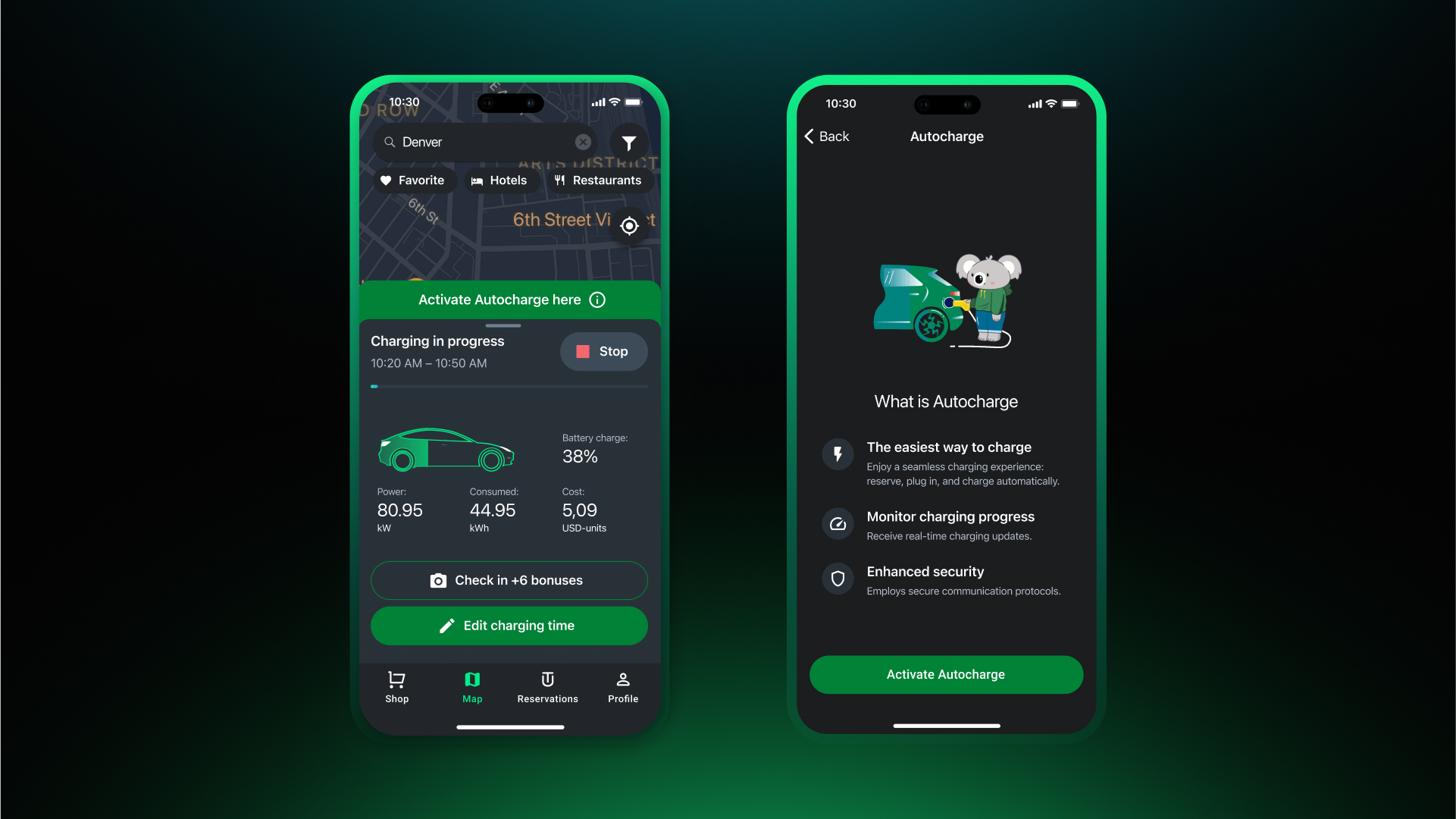
How to Activate?
To activate in the app, you need to:
- Arrive at the charging station.
- Initiate a charging session to identify your EV.
- Following this, the Autocharge activation will be completed successfully.
Note that Autocharge is available at fast-charging stations with a CCS Combo 2 connector and on certain types of charging stations.
How to Use?
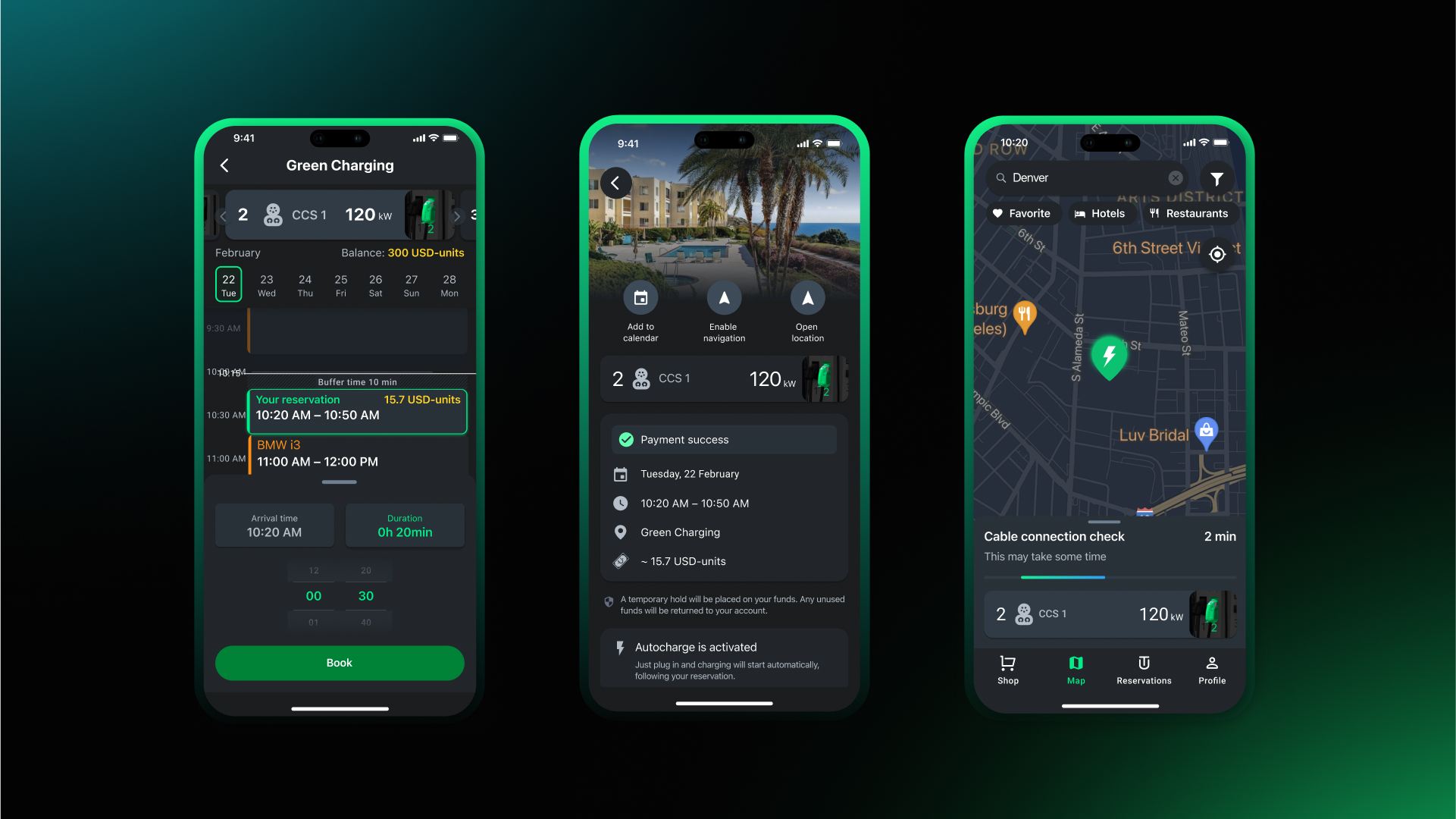
- Reserve in Advance: Use the GO TO-U app to select the desired charging station and reserve a connector time.
- Arrive and Connect: When you arrive, simply connect your EV to the connector you reserved.
- Automatic Session Start: The charging session will begin automatically. Our app will keep you informed about the charging process and notify you when the charging session is completed.
How to Deactivate?
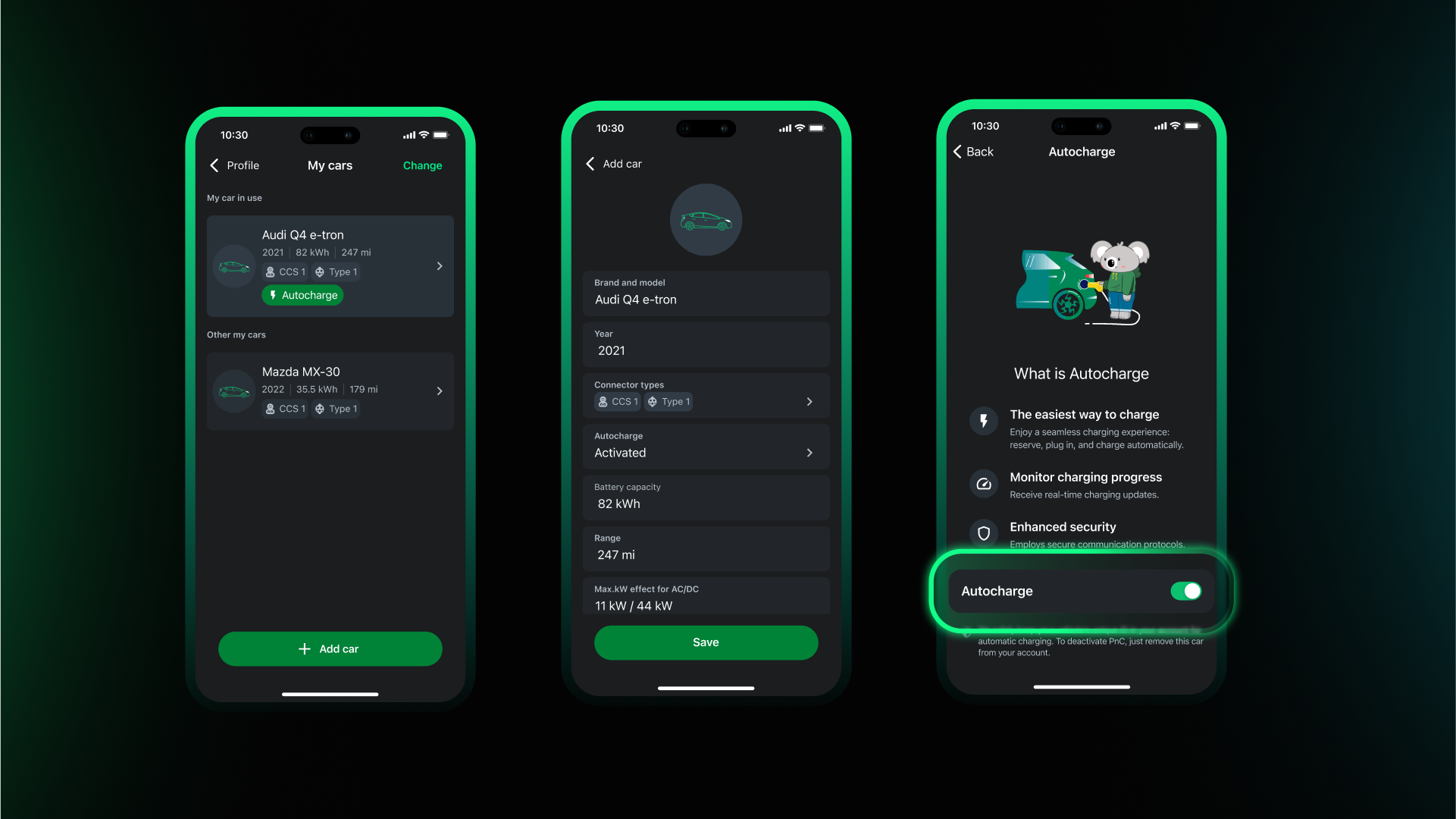
If you wish to temporarily opt-out of the Autocharge feature, you can easily deactivate it via the My Profile -> My Cars section in the app -> Select the required car and deactivate the feature.
We believe these updates will significantly improve your EV charging experience, making it more reliable, efficient, and straightforward. At GO TO-U, we are continually striving to optimize the use of charging stations and enhance our users' satisfaction.